Best AI Video Tools for E-Learning in 2026
By Ajith Pinninti, founder and CEO of DistilBook · Published October 5, 2026
Ajith builds AI tools for explainer and motion-graphics video: DistilBook, and Framenet AI before it.
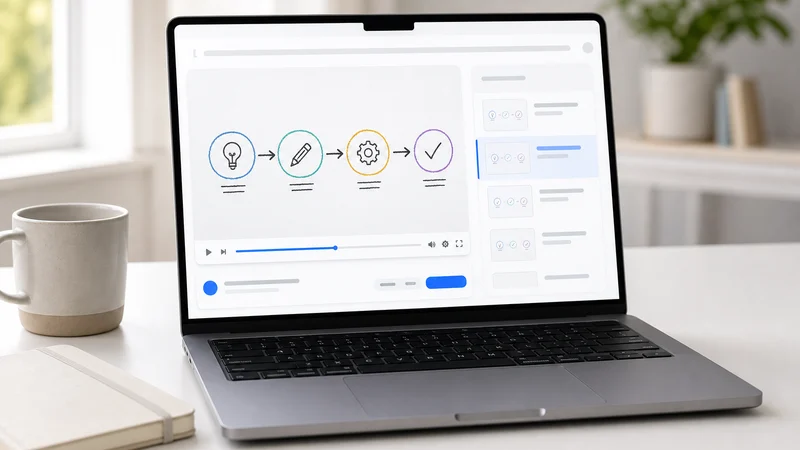
AI video tools for e-learning look alike in feature lists and very different on screen. Some put a synthetic presenter in front of the learner, some lay text over stock footage, and some draw visuals that explain the concept. For instructional value that difference matters more than any feature, because learners remember what the visual shows. This comparison sorts the main tools by what the learner actually sees, then by languages, LMS fit and cost.
What are the best AI video tools for e-learning in 2026?
For instructional visuals that explain the concept, DistilBook: it turns course material into narrated videos with an original illustration for every idea, in 19 styles and 20 languages, from $20 a month. For an AI presenter, Synthesia, Colossyan or HeyGen, all with SCORM export on their higher plans. Vyond suits character animation you build scene by scene, and Pictory or Lumen5 quick videos built on stock footage.
The table is sorted by what the learner sees on screen, because that decides whether a video teaches the idea or only reads it out. Prices were read on each vendor's own pricing page on 5 October 2026.
| Tool | What the learner sees | SCORM export | Free to try | Paid from |
|---|---|---|---|---|
| DistilBook | An original instructional illustration for each idea, hand-drawn whiteboard or motion graphics | No; MP4 for any LMS or authoring tool | Yes, 10 free credits, no card | $20 a month, $14 billed yearly |
| Synthesia | An AI avatar presenter | Yes, on higher plans | Free plan, 10 minutes a month | $29 a month |
| Colossyan | An AI avatar presenter, with interactive video | Yes, 5 a month from the $59 plan, unlimited on Enterprise | Free plan | $27 a month |
| HeyGen | An AI avatar presenter | Yes, on the $149 a month Business plan | Free plan, 3 videos a month | $29 a month |
| Vyond | Character animation you build scene by scene | Yes | See vyond.com | $58 a month billed yearly, $99 monthly |
| Pictory | Text and narration over stock footage | Not listed | Free trial | $25 a month |
| Lumen5 | Text over stock footage and templates | Not listed | See lumen5.com | See lumen5.com |
| Scholarly | Narrated lessons generated from your sources | Not listed | Free plan, 2 minute episodes | $12 a month billed yearly, $30 monthly |
What matters most when choosing an AI video tool for e-learning?
What the learner sees on screen. A talking presenter holds attention but rarely shows the concept, and text over stock footage repeats the narration without explaining it. Visuals drawn for the idea itself, such as a process, a comparison or a cause and effect, carry the instructional value. After that, check languages, LMS fit and how quickly you can revise.
Feature lists hide this because every tool claims to make engaging video. Watch the first minute of output on your own material, with the sound off, and ask whether the screen alone teaches anything.
- Instructional visuals: does each scene show the concept, or decorate the narration?
- Languages: narration in your learners' language, written for them rather than translated word for word.
- LMS fit: an MP4 every LMS accepts, or SCORM if you track completion inside the package.
- Revision: when the source document changes, can you regenerate instead of re-recording?
- Branding: your or your client's logo and colours on every scene.
Which AI video tools export SCORM?
Synthesia, Colossyan, HeyGen and Vyond list SCORM export, usually on higher plans: Colossyan from its $59 a month plan with 5 exports a month, and HeyGen on its $149 a month Business plan. DistilBook exports MP4. For SCORM tracking, place the MP4 in Articulate, iSpring, Adobe Captivate or your own authoring tool and publish the package from there.
Most LMSs accept an MP4 directly as a video activity. SCORM matters when you need completion and score tracking inside the package itself, and most e-learning teams already publish SCORM from an authoring tool.
Which AI e-learning video tools work in Hungarian, Polish or German?
DistilBook narrates in 20 languages, including Hungarian, Polish, German, French, Spanish, Romanian, Turkish and Ukrainian, and writes the script in that language rather than translating an English one. Avatar tools such as Synthesia and HeyGen also offer many languages for their presenters.
For a non-English course, review the script in the target language before generating, and have a native speaker check terms and pronunciation on the first module before producing the rest.
How do you turn course material into an e-learning video with AI?
Upload the module as a PDF, Word file or notes, choose the audience and language, review the narration the AI writes, then generate. DistilBook draws an original visual for each idea and animates it to the voiceover. A short whiteboard lesson takes about 5 minutes, and a 10 slide module about 15 to 25 minutes.
The review step is where an instructional designer adds the most value. Written course text reads badly out loud, so cutting what only works on paper, and checking every term and number, is what makes the video teach.
Keep reading
Best AI Tools to Turn Documents into Training Videos in 2026
Eight AI tools that turn a PDF, policy or manual into a training video, compared on how they handle documents, narration, branding, price and export. Tested September 2026.
Best AI Video Generators for Teachers in 2026
AI video tools for teachers, tutors, course creators and exam-prep providers, compared: which turn lesson notes and textbook chapters into narrated lessons, which are free, and which include your logo.
Best AI Explainer Video Makers in 2026
AI explainer video makers compared by type: illustrated explainers, AI presenters, whiteboard generators and free study tools. What each costs, what it is best for, and the plan where your own logo is included.