Best AI Explainer Video Makers in 2026
By Ajith Pinninti, founder and CEO of DistilBook · Published September 23, 2026
Ajith builds AI tools for explainer and motion-graphics video: DistilBook, and Framenet AI before it.
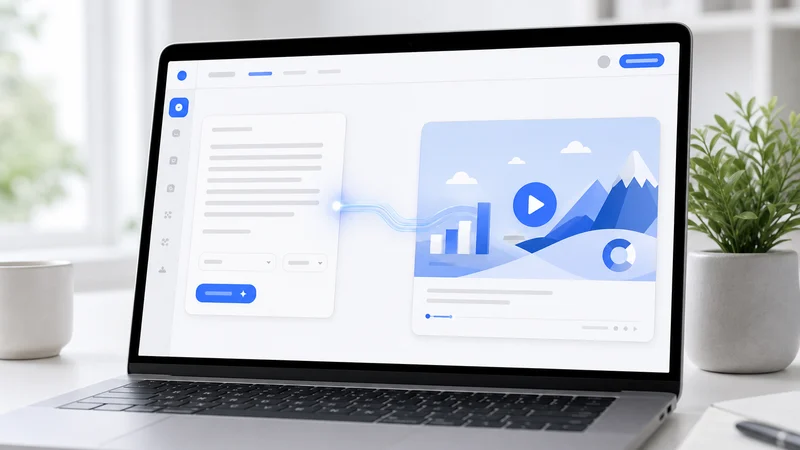
The best AI explainer video maker for most creators and educators is DistilBook, if what you have is a document, notes or a lesson and what you want is a narrated video that explains it with original illustrations. It is not the best choice for every job, and this guide says plainly when another tool fits better. The tools below are grouped by what they actually put on screen, because that decides more than any feature list.
What is the best AI explainer video maker?
For turning documents, notes and lessons into illustrated, narrated explainers, DistilBook: you approve the script first, every scene is drawn for your content, and your logo is included from $15 a month. For a talking AI presenter, HeyGen. For enterprise avatar training, Synthesia. For free personal study videos, Gemini Notebook (formerly NotebookLM).
Explainer video makers split into four types. Illustrated explainer tools read your material and draw new scenes that explain it. Presenter tools put an AI avatar on screen to talk about it. Whiteboard generators draw black-and-white or colour sketches over narration. Study tools turn your sources into a quick narrated overview for yourself. Pick the type first, then the tool.
Prices and plan limits were read from each vendor's own pricing page on 23 September 2026. Pricing changes often, so check the vendor's page before you buy.
| Tool | Type | Best for | Paid from (monthly) | Your own logo | Key limitation |
|---|---|---|---|---|---|
| DistilBook | Illustrated explainer | Creators, teachers, course and exam-prep videos from documents | $15 | Every paid plan, from $15 | No avatars or live-action footage |
| HeyGen | AI presenter | Talking-head explainers and translations | $29 (Creator) | Brand kit from Creator, $29 | The avatar is the visual; scenes are not drawn for your content |
| Synthesia | AI presenter | Large-company training with avatars | $29 (Starter) | Brand kits on higher tiers (its docs say Enterprise) | No download on the free plan |
| Golpo AI | Whiteboard generator | Short whiteboard clips from a prompt or document | $39.99 (Starter, black and white) | $499.99 plan, or a $100 add-on on the $199.99 plan | Colour starts at $199.99; clips up to 2 to 10 minutes by plan |
| Knowlify | Illustrated explainer | Company training teams, demo-led sales | $29 (Pro, about 2 minutes a month) | From the $99 Max plan | Small monthly minutes on the entry plan |
| Gemini Notebook (NotebookLM) | Study tool | Free narrated overviews of your own sources | Free | No | One fixed style, no line-by-line script editing |
How did we compare them?
We compared what each tool puts on screen, what it costs on its cheapest paid plan, which plan includes your own logo, and the one limitation most likely to stop a creator or teacher. DistilBook is our product, so we state its limits as plainly as everyone else's.
Prices and limits come from each vendor's own pricing page, read on 23 September 2026. We did not include tools that only edit footage you already filmed, because they are not explainer makers.
1. DistilBook: best for illustrated explainers from documents
Upload a PDF, Word file, notes or a link, or describe a topic. DistilBook writes the narration and pauses so you can edit every line, then draws an original scene for each idea and reveals it as the voice reaches it. Whiteboard or motion-graphics styles, 16:9 or 9:16, 19 languages.
Pricing is per slide: 10 credits a slide, with 30 free credits at signup and no card. Paid plans are $15, $35 and $75 a month for 170, 450 and 1,000 credits, and your logo and brand colours are on all of them. Since April 2026, more than 1,500 creators have made over 2,200 videos with it, most of them from PDFs.
Pick something else if you need a person on camera, cinematic footage, or frame-by-frame manual animation.
2. HeyGen: best for AI presenter videos
HeyGen puts an AI avatar on screen to present your script, and it can translate the result into many languages. The free plan makes up to 3 short videos a month with a watermark; Creator at $29 a month removes the watermark and adds a brand kit.
HeyGen imports PowerPoint and PDF on every plan. It is the right pick when a presenter is the point of the video, for example a founder update or a sales message. For a lesson where the visuals have to explain a concept, an avatar in front of text does less work than drawn scenes.
3. Synthesia: best for enterprise avatar training
Synthesia is built for large-company training with AI avatars, 160+ languages and team governance. Starter is $29 a month ($18 billed yearly) for 10 minutes of video a month; Creator is $89 a month ($64 yearly) for 30 minutes.
The free Basic plan cannot download videos. Brand kits sit on the higher tiers, and Synthesia's own documentation lists them under Enterprise. It suits companies standardising training across many teams; it is more than most individual creators or teachers need.
4. Golpo AI: best for short whiteboard clips
Golpo AI generates whiteboard-style videos from a prompt or document. Starter is $39.99 a month for 20 minutes of black-and-white video, colour starts on Growth at $199.99, and your own logo needs the $499.99 Business plan or a $100 add-on.
Clips run 2 minutes on the lower plans and up to 10 minutes on Business. If you want the whiteboard look with colour and your logo on a small budget, DistilBook's Guided Explainer does both from $15 a month.
5. Knowlify: best for company training teams
Knowlify makes animated explainers aimed at corporate training and sells heavily through demos. Pro is $29 a month for about 2 minutes of video; Max is $99 a month for about 20 minutes, and branding starts there.
Yearly billing halves those prices. The small monthly allowance on Pro makes it a better fit for a few short company videos than for a course or a YouTube channel that publishes every week.
6. Gemini Notebook (NotebookLM): best free option for studying
Google's Gemini Notebook, renamed from NotebookLM in July 2026, turns your sources into a narrated Video Overview for free. It is excellent for revising your own material and weak for anything you publish: no logo, one style and no line-by-line script editing.
Key takeaways
Choose by what should be on screen: drawn explanations (DistilBook), a presenter (HeyGen, Synthesia), whiteboard clips (Golpo AI) or a free study overview (Gemini Notebook). Then check which plan includes your logo, because that is where prices diverge most.
- Illustrated explainers from documents: DistilBook, logo included from $15.
- AI presenter videos: HeyGen from $29, brand kit included.
- Enterprise avatar training: Synthesia, brand kits on higher tiers.
- Whiteboard clips: Golpo AI, colour from $199.99, logo from $499.99.
- Free study videos: Gemini Notebook, no branding.
Which AI explainer video maker is best for YouTube and courses?
For a channel or course that publishes regularly, pick a tool priced per video rather than per minute of avatar time, that includes your logo on its cheapest plan, and that makes 9:16 versions. DistilBook covers all three from $15 a month.
Keep reading
Best PDF to Video Converters in 2026
PDF to video converters compared by what they produce: illustrated explainers, AI presenters, slideshows and free study overviews. Prices, limits and which one fits a textbook, a manual or a report.
Best AI Video Generators for Teachers in 2026
AI video tools for teachers, tutors, course creators and exam-prep providers, compared: which turn lesson notes and textbook chapters into narrated lessons, which are free, and which include your logo.
Best AI Whiteboard Animation Software in 2026
Whiteboard animation tools compared for 2026, including Golpo AI and Simi: which generate video with AI, what each costs, and the plan where the video carries your own logo. Prices checked 18 September 2026.