Best VideoScribe Alternatives in 2026
Upload a document and get a finished whiteboard video, or keep building one by hand. Here is how the options compare.
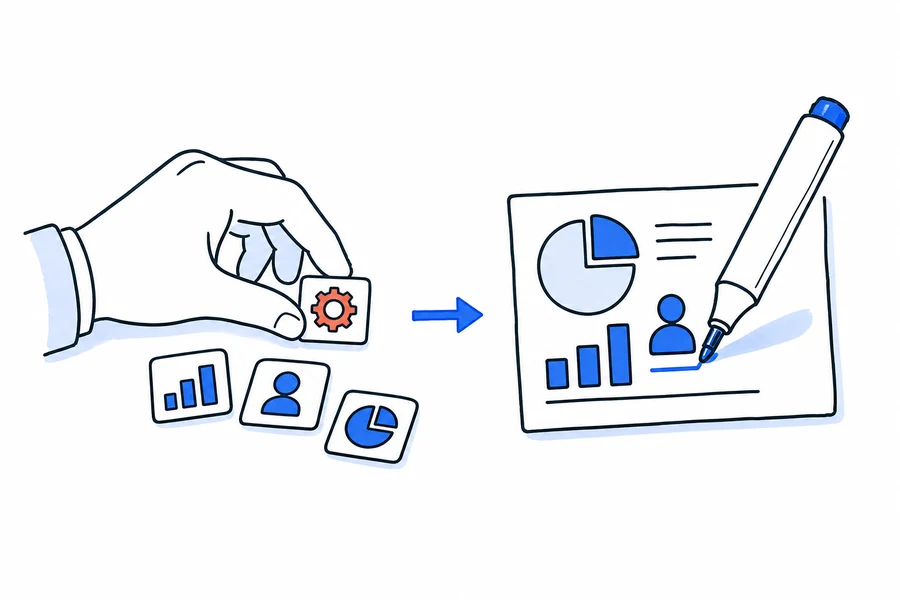
VideoScribe is a capable manual editor: you place every image, time every draw-on and record or sync the voiceover yourself. The alternatives split into two groups. Manual editors such as Doodly work the same way. AI generators make the finished video for you. DistilBook is the AI option built for quality: upload a PDF, Word file or notes and it writes the narration, draws original whiteboard scenes in your choice of whiteboard style, voices them and animates them, with no prompt writing and no timeline. A short whiteboard video takes about 5 minutes, and the script and every slide stay editable.
VideoScribe alternatives compared
| Tool | How the video gets made | Free to try | Paid from |
|---|---|---|---|
| DistilBook | AI: upload a PDF, Word file or notes; script, original artwork, narration and animation are generated, and the script and slides stay editable | 10 free credits (the first slide), no card | $20 a month, or $14 a month billed yearly; logo and brand colours on every plan |
| VideoScribe | Manual editor: place images, time draw-ons, add a voiceover | 7 day free trial, no card | Lite plan with 5 downloads a month, Core with 30, Max unlimited |
| Doodly | Manual doodle editor inside Voomly Cloud | Free trial | $49 a month or $490 a year; Enterprise $79 a month |
| StrokeVideo | AI whiteboard video maker | 1 free video a day, up to 2 minutes, no watermark | $19.90 a month |
| Golpo AI | AI explainer video generator | One 1 minute video, watermarked, no download | $39.99 a month; your own logo is a $100 add-on on the $199.99 plan |
| AutoScribble | AI whiteboard video from a script | 100 credits, one 1 minute video | Paid prices not published yet |
| Powtoon | Template animation editor | Free plan | $15 a month billed yearly (Lite) |
| Animaker | Template editor with a whiteboard mode | Free plan | From $10 a month billed yearly, with capped premium exports |
Prices checked on each vendor's own pricing page, 3 October 2026.
Why people look for a VideoScribe alternative
Assembly time
A few minutes of finished whiteboard video takes hours of canvas work in a manual editor. That is fine for one video and unsustainable for a series.
Shared clip-art
Library-based tools mean your video and a competitor's video can contain the same drawings.
Voiceover sync
Recording, importing and hand-syncing audio is its own skill, and re-syncing after every edit is repeat work.
Download limits
VideoScribe's Lite plan allows 5 video downloads a month; unlimited downloads need the Max plan.
Why DistilBook is the AI pick
Upload a file, get the finished video
Give DistilBook a PDF, Word file, notes or a web link. It writes the narration, draws every scene, voices it and animates it. No prompt writing, no timeline and no manual editing needed.
Illustrator-quality artwork
Every scene is original artwork drawn for your content and revealed stroke by stroke as the narration reaches it. Nothing comes from a shared clip-art library.
Different styles of whiteboard animation
Pick from a set of whiteboard styles, from classic black on white to notebook sketch, or switch to a motion-graphics style. 19 styles in all.
Fast, and everything stays editable
A short whiteboard video is ready in about 5 minutes. Review and edit the script before anything is drawn, then change any slide's artwork in the editor.
Any channel, any language
Export 16:9 for YouTube, courses and slides, or 9:16 for Shorts, Reels and TikTok, as an MP4 up to 1440p, with narration in 20 languages and your logo on every paid plan.
Other tools worth a look
The other tools people compare, and what each one is for:
- StrokeVideo:AI whiteboard maker with a free video every day, a good fit for short clips.
- AutoScribble:AI whiteboard tool that writes and rewrites your script for free; paid plans not priced yet.
- Doodly:the closest manual editor to VideoScribe, $49 a month.
- Canva:basic draw-on effects inside its general design editor.
Frequently asked questions
What is the best VideoScribe alternative in 2026?
If you want the finished video made for you, DistilBook: upload a PDF, Word file or notes and get a narrated whiteboard video with original artwork, in different whiteboard styles, 16:9 or 9:16, with a short video ready in about 5 minutes. If you want to keep building by hand, Doodly is the closest manual editor. Prices checked 3 October 2026.
Is there a free VideoScribe alternative?
Several have free tiers. StrokeVideo gives one free video a day up to 2 minutes, AutoScribble gives 100 credits for one 1 minute video, and DistilBook gives 10 free credits with no card, which makes the first slide of your video so you can judge the quality before paying. VideoScribe itself offers a 7 day free trial.
Can AI really make a whole whiteboard video?
Yes. DistilBook writes the script from your source, draws original hand-drawn scenes, narrates them and syncs the draw-on animation. You review the script before generation, which is where you keep editorial control.
Can I edit the video DistilBook makes?
Yes. You review and edit every line of the script before anything is drawn or voiced, and after generation you can change any slide's artwork in the editor. The narration locks once generation starts, so the script review is where you shape the message.
What does DistilBook not do that VideoScribe does?
It does not give you a manual canvas with hand-placed elements and per-element timings. If you want that level of manual craft, a traditional editor remains the right tool.
More alternatives
The AI Alternative to Powtoon
Stop filling in templates. Start from the document you already have.
The AI Alternative to Pictory
Original animated scenes instead of stock clips matched to your words.
The AI Alternative to Animaker
Skip the character library and the template. Start from your document.
The Alternative to NoteGPT
Both turn a PDF into a video. One of them lets you fix the script first.
The Alternative to StudyFetch
StudyFetch is built for studying. This is built for video other people watch.
The Alternative to Colossyan
Colossyan puts a presenter in front of your document. This illustrates the document instead.
Judge it on your own content
Upload a document and preview the video free before deciding anything.