The Guidde Alternative for Turning Documents into Explainer and Training Videos
Guidde records what you click. DistilBook starts from what you wrote: an SOP, a policy, a manual or a deck becomes a narrated animated video, no screen recording.
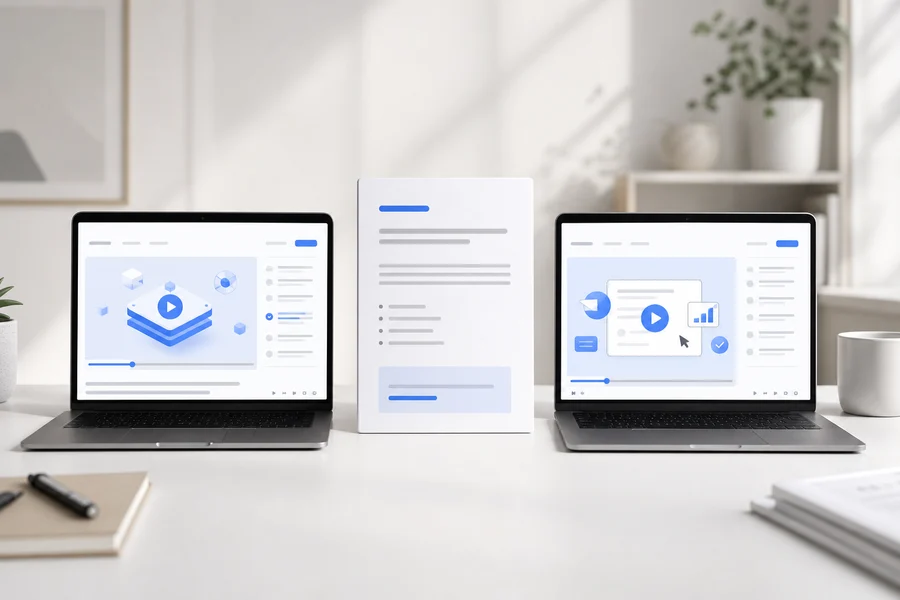
Guidde is built around screen capture. You install its browser extension (or the desktop app on Business and up), click through a workflow in a web app, and Guidde turns the recording into a step-by-step how-to video with captions, highlights and an AI voiceover. Its Business plan also lists turning PDFs, PPTs and Docs into video, per Guidde's pricing page. DistilBook starts at the other end. You upload the written material itself, a standard operating procedure, a policy, a product manual, a help article or a slide deck exported to PDF, approve the script the AI writes from it, and get an animated explainer in hand-drawn whiteboard or motion-graphics style with narration in one of 22 languages. If your training is about clicking through software, Guidde is the better fit. If it lives in a document and is about ideas, rules or steps away from a screen, DistilBook is.
Guidde vs DistilBook at a glance
| Guidde | DistilBook | |
|---|---|---|
| You start from | A screen capture of a workflow (web on Free and Pro; web, desktop and mobile on Business and Enterprise). Business also lists PDFs, PPTs and Docs | A document: PDF, Word, Markdown or text, plus images, a public article link or a prompt. Decks are uploaded as PDF |
| How the video is made | Each captured click becomes a step; Guidde adds captions, highlights, cursor effects and voiceover, and you edit the steps | The AI writes a narration script from your document; you approve or edit every line, then each slide is drawn and voiced |
| Visual style | Screen recordings of your software with zooms, shapes and transitions | Animation, no screen recording: 5 whiteboard styles drawn stroke by stroke and 20 motion-graphics styles |
| Voices and languages | Record your own voiceover on every plan; AI text-to-voice with 200+ voices and 50+ languages (unlimited on Business); translation on Enterprise or as an add-on | AI narration in 22 languages; 30 standard voices on every plan, plus 20 premium voices and your own cloned voice on Pro and Max |
| Output | Share links and a video workspace; export of videos, PPTs and PDFs on paid plans | An MP4 at 720p, 1080p or 1440p in 16:9 or 9:16, subtitles as .SRT or .VTT, and a share link |
| Price | Free $0 (up to 25 how-to videos); Pro $19 and Business $39 per creator a month billed annually ($29 and $59 shown struck through); Enterprise by quote | Basic $20, Pro $50, Max $100 a month ($14, $35, $70 billed yearly), or one-time credit packs from $10 |
Prices checked on each vendor's own pricing page, 1 November 2026 (guidde.com/pricing and guidde.com; distilbook.com/pricing).
Why people look for a Guidde alternative
The training is not about software
Guidde shines when the lesson is a sequence of clicks. A safety procedure, a code of conduct, a sales methodology or a product concept has no screen to record, so a capture-first tool has little to work with.
The source is already written
L&D and operations teams often have the SOP, policy or manual finished. Re-performing it on screen to get a video is extra work when the text could drive the video directly.
They want animation, not a screen recording
Some teams want explainer-style visuals: a whiteboard drawing itself, or motion graphics, so the video teaches the idea rather than showing a user interface.
What DistilBook does differently
Document in, explainer out
Upload a PDF, Word file, Markdown or text, or paste a link to a public article. The AI reads it and writes the narration, and the structure of the document becomes the structure of the video. Nothing has to be recorded.
You approve the script first
Generation pauses at the script so you can read and edit every line before anything is drawn or voiced. Credits are charged only when you approve, which matters for compliance and policy wording.
Whiteboard and motion graphics
Pick one of 5 whiteboard styles, drawn stroke by stroke at about 2 minutes a slide, or one of 20 motion-graphics styles. Your logo and brand colours are included on every paid plan.
22 narration languages
Choose the narration language before generating; the source document can be in another language. 30 standard voices on every plan, with 20 premium voices and voice cloning on Pro and Max.
Should you switch from Guidde?
DistilBook is best for
- Turning a written SOP, policy, manual, help article or slide deck into a narrated training video
- Concept explainers and compliance or onboarding training that is not about clicking through software
- Whiteboard-style or motion-graphics videos in 16:9 for courses and slides, or 9:16 for mobile
- Teams that need the same training narrated in several of 22 languages
Stay with Guidde if you want
- Step-by-step software walkthroughs recorded as you click, with cursor effects and highlights
- Capturing desktop or mobile apps, interactive click-through demos, or a cam bubble over your screen
- SCORM export, generated quizzes or AI avatars: Guidde lists these (SCORM and custom avatars on Enterprise, per its FAQ); DistilBook has none of them
- A help-center workflow where videos live in Guidde's workspace and inside apps like Salesforce or ServiceNow
Other Guidde alternatives
The other tools people compare, and what each one is for:
- Scribe:step-by-step screenshot guides captured from your clicks, a close cousin of Guidde.
- Tango:browser-captured how-to guides with screenshots for software processes.
- Loom:quick screen and camera recordings for async explanations.
- Camtasia:a full screen-recording editor for polished software tutorials made by hand.
- Synthesia:AI avatar presenter videos from a script, for training and communications.
Frequently asked questions
Can Guidde turn a PDF into a video?
Guidde's pricing page, read on 1 November 2026, lists turning PDFs, PPTs and Docs into video on its Business plan ($39 per creator a month billed annually) and above. Guidde is built mainly around screen capture, though. If your starting point is a document and you want an animated whiteboard or motion-graphics explainer rather than a screen-style guide, DistilBook is made for that: upload the PDF, approve the script, get a narrated MP4.
Is there a free Guidde alternative?
Guidde itself has a Free plan: up to 25 how-to videos captured from web apps, per its pricing page on 1 November 2026, and its FAQ says MP4 export needs a paid plan. DistilBook is a paid tool: plans start at $20 a month ($14 billed yearly), or a one-time credit pack from $10 if you only need a few videos. Current sign-up terms are on the DistilBook pricing page.
Is DistilBook a screen recorder like Guidde?
No. DistilBook does not record your screen. It makes animated explainer videos from documents, articles, images or a prompt. For walkthroughs of clicks inside a software product, a capture tool such as Guidde, Scribe or Tango is the better choice.
Which is better for compliance and SOP training?
It depends on what the procedure is. If it is a sequence of steps in a software system, Guidde records it as you do it. If it is a written policy or a procedure that happens away from a screen, DistilBook turns the document into a narrated whiteboard or motion video, and you approve every line of the script first. Neither replaces your LMS: DistilBook exports an MP4 you upload there, with no SCORM package or quizzes.
How do the prices compare?
Guidde charges per creator: $19 a month on Pro and $39 on Business, billed annually, per its pricing page on 1 November 2026, with Enterprise by quote. DistilBook charges by credits, not seats: Basic $20, Pro $50 and Max $100 a month ($14, $35 and $70 billed yearly), and a slide costs 10 credits.
Can I use both?
Yes, and many teams would. Use Guidde for click-by-click software how-tos and DistilBook for the concept, policy and process explainers that come from documents. Both produce videos you can share by link.
Related guides
More alternatives
The AI Alternative to Powtoon
Stop filling in templates. Start from the document you already have.
The AI Alternative to Pictory
Original animated scenes instead of stock clips matched to your words.
The AI Alternative to Animaker
Skip the character library and the template. Start from your document.
The Alternative to NoteGPT
Both turn a PDF into a video. One of them lets you fix the script first.
The Alternative to StudyFetch
StudyFetch is built for studying. This is built for video other people watch.
The Alternative to Colossyan
Colossyan puts a presenter in front of your document. This illustrates the document instead.
Judge it on your own content
Upload a document and preview the video free before deciding anything.